
-
 By Derek Duckworth
- March 15, 2026
- 0 Comments
- Chat Room News
Monkey App: What Is It and Is It Worth Using?
The world of social apps moves fast. One moment an app is unknown, the next it has millions of users. Monkey App followed this exact pattern, promising spontaneous face-to-face video connections.
- What is Monkey App?
- Safety & privacy concerns
- Is it worth your time?
The world of social apps moves fast. One moment an app is unknown, the next it has millions of users. Monkey App followed this exact pattern.
This platform appeared in 2016 and quickly gained attention among teens. It promised something different: spontaneous face-to-face video connections with strangers around the world.
But rapid growth brought serious questions. Parents wondered if it was safe. Experts raised concerns about privacy. App stores took action.
In this comprehensive guide, we examine what Monkey App actually is, how it functions, who uses it, and most importantly, whether it deserves a place on your phone in 2025.
What Is Monkey App?
Monkey App is a random video chat platform designed primarily for mobile devices. The app connects users with strangers for short video conversations.
Think of it as a blend of several popular apps rolled into one. It combines the quick connections of Tinder, the video functionality of FaceTime, the playful filters of Snapchat, and the short-form content approach of TikTok.

The core concept is simple: users get matched randomly with other users for 15-second video chats. If both people want to continue talking, they can extend the time. If not, they move on to the next person.
The app aims to create spontaneous social connections in a world where many young people feel isolated despite constant digital connectivity. It removes the pressure of curated profiles found on traditional social media platforms.
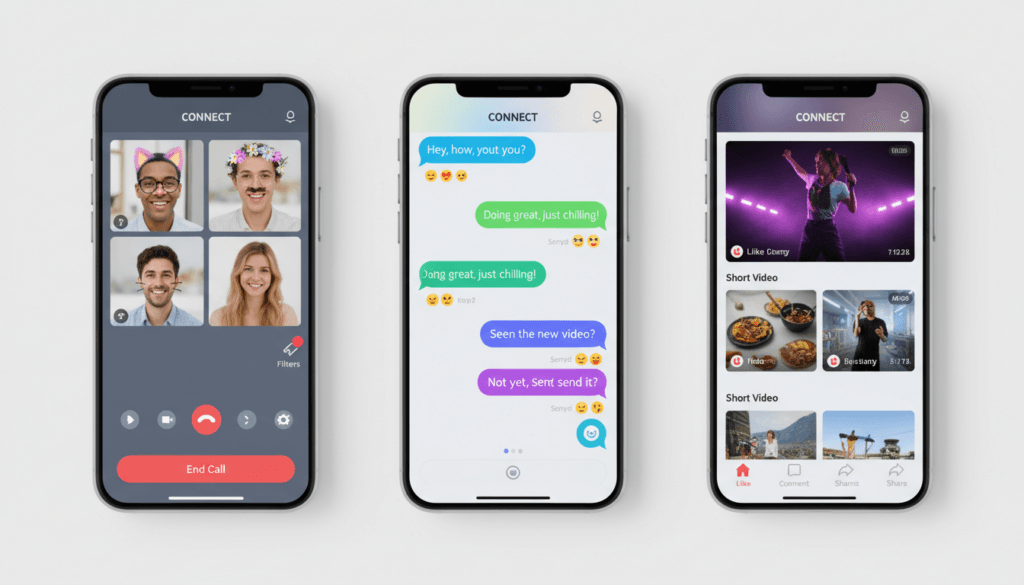
Users can chat via video, send text messages through a feature called Knock Knock, share short video moments, and apply virtual masks and filters during conversations. The platform supports both one-on-one and group interactions.
Key Point: If you’re completely new to online chat platforms, it helps to understand how chat rooms and stranger-chat apps actually work before jumping in. Understanding the broader context of online communication helps users make safer, more informed decisions.
The app initially launched exclusively for iOS devices before expanding to Android. However, its journey across app stores has been turbulent, with availability varying by region and platform due to safety concerns.
A Brief History of Monkey App
Monkey App was launched in 2016 in California by two teenage entrepreneurs: Ben Pasternak and Isaiah Turner. Both were high school dropouts who saw an opportunity in the social app market.
Ben Pasternak, the Australian-born co-founder, had already gained attention in tech circles for creating a viral game while still in high school. He moved to the United States and connected with Isaiah Turner to build Monkey.

The timing proved favorable. Snapchat had normalized disappearing content and playful filters. Omegle had demonstrated demand for random stranger chat. Monkey positioned itself as a mobile-first, video-centric evolution of these concepts.
Growth came quickly. Within months of launch, the app climbed app store charts. By 2017, Monkey had attracted millions of downloads and caught the attention of venture capitalists.
At its peak, the platform claimed over 30 million registered users globally. The Washington Post and other major media outlets covered the phenomenon, noting both its popularity and emerging concerns.
However, success brought scrutiny. Reports emerged about inappropriate content, insufficient age verification, and potential safety risks for young users. Apple removed Monkey from the App Store in 2020 due to these concerns, though it remained available on Google Play.
The removal from Apple’s platform significantly impacted the app’s reach and reputation. Since then, Monkey has attempted to implement stronger moderation policies and safety features, but questions about its security and appropriateness for young users persist.
The app continues to operate and evolve, though it no longer enjoys the explosive growth and mainstream attention it experienced during its initial years. Its history serves as a case study in rapid social app growth and the challenges of balancing innovation with user safety.
How Does Monkey Work?
Understanding how Monkey App operates helps users make informed decisions about whether to download and use the platform. The app follows a straightforward process from registration to active chatting.
Registration and Setup
New users begin by creating an account. The app requests basic information including name, age, gender, and phone number. This registration process takes only a few minutes.

Age verification has been a controversial aspect of Monkey. The app requires users to confirm they are at least 13 years old, but this verification relies primarily on self-reporting. Users simply enter their birth date without additional verification steps like ID checks or facial recognition age estimation.
Once registered, users create a basic profile. Unlike traditional social media platforms, Monkey profiles remain minimal. The focus stays on spontaneous video interactions rather than curated personal brands.
The Matching System
After setup, users can start connecting with strangers. The app uses an algorithm to pair people, though the exact matching criteria remain unclear to users. Factors may include age range preferences, geographic location, and online availability.
When matched, both users see each other via their device cameras. The initial video chat lasts 15 seconds. During this brief window, users decide whether they want to continue talking or move to the next person.
If both users want to keep chatting, they can extend the conversation indefinitely. If either person chooses to disconnect, both return to the matching pool to find new connections.
Free vs Paid Features
Monkey operates on a freemium model with two tiers of access:
Free Version
- Basic random video matching
- 15-second initial chat sessions
- Ability to extend chats with mutual consent
- Text messaging via Knock Knock
- Limited filter options
- Standard connection speed
- Advertisements displayed between matches
Monkey Plus (Premium)
- Ad-free experience
- Advanced filters for gender and location preferences
- Priority matching for faster connections
- Extended time limits on initial chats
- Ability to see who wants to chat with you
- Rewind feature to reconnect with previous matches
- Additional virtual masks and filters
- Profile customization options
The premium subscription requires a monthly or annual payment. Pricing varies by region and promotional offers, typically ranging from several dollars to over ten dollars per month.
Core Interaction Features
Beyond basic video matching, Monkey offers several ways to interact:
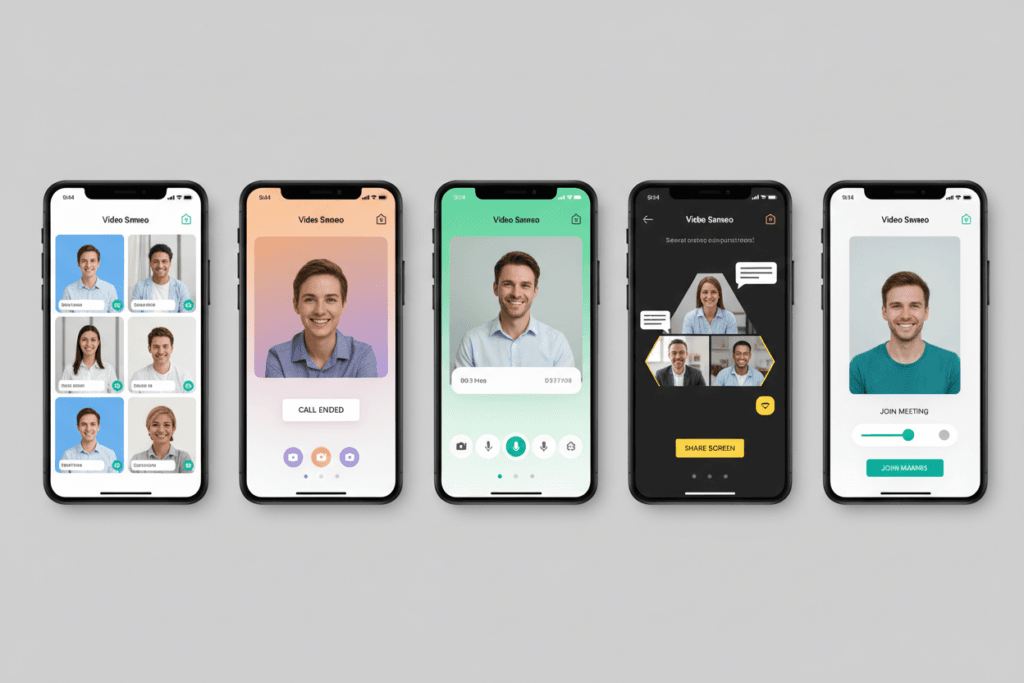
Video Chat: The primary feature allows real-time face-to-face conversations. Users can apply filters during calls to add entertainment value and mask identity if desired.
Knock Knock: This text chat function lets users send messages to people they have connected with previously. It serves as a follow-up tool for maintaining connections beyond initial video chats.
Moments: Similar to Instagram Stories or Snapchat, Moments lets users post short videos visible to their connections. These disappear after a set time period, encouraging spontaneous sharing.
Friend Lists: Users can add people they enjoy talking with to a friends list, making it easier to reconnect later rather than relying on random matching.
Group and Duo Chats: Beyond one-on-one conversations, Monkey supports group video chats where multiple users can interact simultaneously, and duo mode where friends can chat with strangers together.
Safety and Reporting Features
The app includes tools for reporting inappropriate behavior. Users can flag content or block specific individuals. A moderation team reviews reports, though the effectiveness and response time of this system have been questioned by safety advocates.
Users also have the ability to skip matches instantly if they feel uncomfortable. This provides an immediate exit from unwanted interactions, though it doesn’t prevent those individuals from being matched with other users.
Privacy settings allow users to control who can contact them and what information appears on their profile. However, the nature of video chat means visual anonymity remains limited.
Key Features of Monkey App
Monkey App combines several social features designed to create engaging, spontaneous interactions. Each feature serves a specific purpose in the overall user experience.
Random Video Chat
The cornerstone of Monkey is its random video matching system. This feature connects users with strangers from around the world for live video conversations.

The randomness creates an element of surprise and excitement. Users never know who they’ll meet next, which can lead to interesting conversations with people from different backgrounds, cultures, and locations.
The 15-second initial timer adds urgency to first impressions. Users quickly assess whether they want to continue the conversation or move on. This format prevents awkward extended silences while still allowing meaningful connections to form.
For users seeking specific types of connections, the premium version offers filters. These let subscribers narrow matches by gender, age range, or geographic region, though this reduces the completely random nature of the platform.
Text Chat via Knock Knock
Not every interaction requires video. Knock Knock provides a text-based communication channel for users who prefer typing or want to maintain connections without camera use.
This feature functions similarly to direct messaging on other social media platforms. Users can send text messages, emojis, and images to people they’ve previously matched with.
Knock Knock serves multiple purposes. Some users prefer text to ease into conversations before video chatting. Others use it to reconnect with interesting people they met during random video sessions. It also accommodates situations where video isn’t practical due to location, privacy concerns, or internet connection quality.
Moments - Short Shareable Videos
Moments brings the ephemeral content trend to Monkey. Users can record and share short videos visible to their connections for a limited time before disappearing.
This feature borrows heavily from Snapchat Stories and Instagram Stories. It encourages spontaneous content creation without the pressure of permanent posts. Users share glimpses of their day, funny moments, or thoughts they want to broadcast to their network.
Moments create opportunities for ongoing engagement beyond direct chats. Connections can view, react to, and respond to these videos, maintaining relationships between live video sessions.
The temporary nature reduces anxiety about perfect content. Users feel more comfortable being authentic and unpolished, which aligns with the app’s overall philosophy of genuine, spontaneous connection.
Virtual Masks and Filters
Visual effects add entertainment and creativity to video chats. Monkey offers various masks and filters that users can apply to their video feed in real-time.

These range from playful animal faces to artistic effects that alter appearance. Some filters add humorous elements, while others serve practical purposes like smoothing skin or adjusting lighting.
Filters serve dual purposes. They make conversations more fun and engaging while also providing some level of visual anonymity for users who want to participate without fully revealing their appearance.
The social media landscape has normalized filtered video, and Monkey capitalizes on this trend. Younger users particularly appreciate the ability to present themselves creatively rather than plainly.
Group and Duo Chats
Beyond one-on-one interactions, Monkey supports group video conversations where multiple users join the same chat room. This feature creates a more social, party-like atmosphere.
Group chats allow friends to meet new people together, reducing the vulnerability some users feel when chatting with strangers alone. The group dynamic can lead to more energetic, entertaining conversations.
Duo mode specifically lets two friends use one device to chat with strangers together. This feature addresses safety concerns by encouraging users to have a buddy during interactions, though it can also make strangers on the other end uncomfortable if they expect a one-on-one chat.
Group features expand the app’s use cases beyond individual networking to social entertainment, making it more appealing for different situations and user preferences.
Friend System and Connection Maintenance
While randomness defines the initial matching, Monkey includes features for maintaining relationships with people users enjoy talking to.
The friend system lets users save connections. Once added as friends, people can easily reconnect without relying on random matching. This transforms Monkey from purely a stranger chat platform into a social network with ongoing relationships.
Users can see when friends are online and available to chat. This availability indicator helps coordinate conversations and increases the likelihood of catching people at good times.
The ability to maintain connections addresses one limitation of pure random chat platforms. Users who find genuine compatibility aren’t forced to lose touch simply because they disconnected from a session.
Who Uses Monkey and Why?
Understanding Monkey’s user base provides context for evaluating the app’s purpose and appeal. The platform attracts specific demographics for identifiable reasons.
Primary User Demographics
Monkey primarily attracts teenagers and young adults, typically between ages 13 and 25. This age group represents the core user base, with the heaviest concentration among high school and college-age individuals.

Gender distribution appears relatively balanced, though exact statistics remain proprietary to the company. The random matching system doesn’t inherently favor one gender over another, unlike some dating-focused platforms.
Geographic usage spans globally, with significant user bases in North America, Europe, and parts of Asia. The app supports multiple languages, facilitating international connections.
Despite the rise of apps like Monkey, the demographics of online chatting are broader than many people think, with millions of adults still using chat platforms daily. However, Monkey specifically targets and attracts a younger cohort compared to traditional chat rooms or other communication platforms.
Motivations for Using Monkey
Users turn to Monkey for several reasons, each reflecting different social and psychological needs:
Combating Loneliness: Many young people experience social isolation despite constant digital connectivity. Monkey offers immediate human interaction without the barriers of traditional social circles or geographic limitations.
Spontaneity and Excitement: The random nature creates anticipation. Users never know who they’ll meet next, making each session feel like an adventure. This unpredictability contrasts with the curated, predictable nature of feed-based social media.
Low-Pressure Social Practice: For shy or socially anxious individuals, Monkey provides opportunities to practice conversation skills with strangers who have no connection to their real-world social circles. The ability to disconnect instantly reduces anxiety about awkward interactions.
Meeting People Outside Normal Circles: Traditional social media connects users with people they already know or share connections with. Monkey breaks these boundaries, enabling conversations with individuals from completely different backgrounds, countries, and perspectives.
Entertainment and Boredom Relief: Some users treat Monkey as entertainment rather than serious social networking. Scrolling through random video matches provides stimulation during idle moments, similar to browsing social media feeds.
Authentic Connection: Paradoxically, some users feel anonymous video chat enables more authentic interaction than traditional social media. Without the pressure of maintaining a perfect online persona, people sometimes reveal their genuine selves more readily.
Usage Patterns and Time Spent
Typical usage patterns vary by individual, but common behaviors include:
- Short, frequent sessions rather than extended continuous use
- Peak usage during evening hours and weekends
- Binge usage patterns where users cycle through many matches in one sitting
- Returning users who maintain ongoing friendships through the platform
- Exploratory users who try the app briefly then discontinue use
Time spent on the app varies widely. Some users engage for just minutes at a time, while others report spending hours cycling through matches. The addictive potential of random reward (finding an interesting match) can encourage prolonged use similar to scrolling social media feeds.
The Appeal of Face-to-Face Connection
In an era dominated by text messages and curated photo posts, video chat represents a return to more immediate, human interaction. Monkey capitalizes on this by making video the default, not an option.
Face-to-face connection, even through screens, provides non-verbal cues absent from text communication. Users can see expressions, hear tone of voice, and experience more complete human interaction than typing alone provides.
This format appeals particularly to generation Z users who grew up with video communication normalized through FaceTime, Zoom, and similar platforms. For them, video feels natural rather than awkward.
The spontaneous nature differs significantly from scheduled video calls with known contacts. There’s no pressure to look perfect or prepare topics. Conversations flow more naturally because expectations remain minimal.
Is Monkey Safe? Critical Safety Concerns
Safety represents the most significant concern surrounding Monkey App. Multiple issues have emerged since its launch, prompting action from app stores and raising alarms among parents and safety advocates.

Apple App Store Removal
The most dramatic safety development occurred in 2020 when Apple removed Monkey from its App Store. This removal followed reports of inappropriate content and insufficient protections for young users.
Apple maintains strict guidelines for apps, particularly those targeting or accessible to minors. When platforms fail to adequately protect users, Apple exercises its authority to remove them from its ecosystem.
While Monkey remains available on Google Play Store, the Apple removal significantly impacted its reputation and user base. iPhone users can no longer download the app through official channels, limiting its reach among iOS-using teens.
The removal sent a clear message about the severity of safety concerns. Major platforms don’t take such action lightly, suggesting substantiated evidence of problematic patterns rather than isolated incidents.
Age Verification Problems
Monkey requires users to be at least 13 years old, complying with the Children’s Online Privacy Protection Act (COPPA) in the United States. However, age verification relies entirely on self-reporting.
Users simply enter a birth date during registration. The app performs no additional verification through ID checks, facial age estimation, or parental consent confirmation.
This weak verification system creates multiple problems:
- Children under 13 can easily lie about their age and create accounts
- Adults with inappropriate intentions can falsely claim to be teens
- Parents have no way to verify the ages of people their children interact with
- The system provides no accountability for users who misrepresent themselves
Effective age verification presents technical challenges across all social platforms, but Monkey’s video chat format makes inadequate verification particularly concerning. Unlike text-based platforms, video immediately exposes young users to visual content from strangers.
Explicit Content and Inappropriate Behavior
Multiple reports have documented explicit content, sexual behavior, and predatory actions on the platform. Users, particularly young teens, have encountered adults engaging in inappropriate conduct during video chats.
The random matching system increases exposure to such content. Unlike platforms where users control who they connect with, Monkey pairs people indiscriminately, making it impossible to avoid potentially harmful matches without disconnecting.
While the app includes reporting and blocking features, these function reactively rather than preventively. Users must first encounter inappropriate content before they can report it. By then, the damage may already be done, especially for younger or more vulnerable individuals.
The moderation team reviews reported content, but questions persist about response speed, thoroughness, and the ability to effectively police a platform based on real-time video interactions that aren’t recorded or monitored proactively.
Data Privacy Concerns
Privacy advocates have raised concerns about Monkey’s data collection and usage practices. The app collects personal information including phone numbers, age, gender, location data, and user behavior patterns.
Key privacy issues include:
Data Storage and Security: Questions exist about how securely user data is stored and protected from potential breaches. Video chat platforms handle sensitive information, and any security vulnerabilities could expose users to significant privacy violations.
Third-Party Sharing: Like many free apps, Monkey may share user data with third parties for advertising and analytics purposes. The extent and specifics of this sharing aren’t always clear to average users, especially young teens.
Location Tracking: The app uses location data for matching purposes, potentially revealing user whereabouts to strangers. This creates safety risks beyond just online interactions.
Permanent Digital Footprints: While the app emphasizes ephemeral content, interactions aren’t necessarily temporary. Other users can screenshot or record video chats, creating permanent records of conversations teens believe are fleeting.
Psychological and Social Risks
Beyond immediate safety threats, Monkey presents psychological risks for young users:
Exposure to Mature Content: Even without explicitly sexual material, young users may encounter discussions, language, or situations inappropriate for their age and maturity level.
Negative Social Interactions: The quick-judgment nature of the platform can reinforce appearance-based rejection. Users who get repeatedly skipped may internalize this rejection, affecting self-esteem.
Addictive Patterns: The random reward structure (finding an interesting match) can trigger addictive usage patterns similar to gambling or social media scrolling.
Normalization of Stranger Danger: Regular use may desensitize young people to the risks of interacting with unknown individuals online, potentially affecting their judgment about online safety more broadly.
What Parents Need to Know
For parents considering whether to allow teens to use Monkey, several factors deserve consideration:
Critical Parent Considerations:
- The app is designed for ages 13+, but maturity varies significantly. Age alone doesn’t determine readiness.
- Parental controls on devices may not prevent app download from Android’s Google Play Store.
- Conversations happen in real-time video, making monitoring difficult without hovering over your teen.
- The random nature means you cannot control who your child might encounter.
- Apple’s removal from its App Store suggests serious, substantiated safety concerns.
- Alternative platforms for socializing exist with better safety track records.
If a parent decides to allow use, they should implement strict guidelines:
- Use the app only in common family areas, never privately in bedrooms
- Establish clear rules about immediately disconnecting from uncomfortable situations
- Regularly discuss what kinds of interactions are appropriate and inappropriate
- Consider using the app together initially to model safe behavior
- Monitor app usage through screen time reports and occasional check-ins
- Teach teens to never share personal information like school name, full name, address, or other identifying details
- Make sure teens understand they can talk to parents about concerning interactions without fear of losing device privileges
Online security extends beyond any single app. Educating teens about digital citizenship, privacy, and safe interaction practices provides protection across all platforms and situations.
Additional Resources: Understanding the psychological effects of online interaction can help parents make informed decisions. Research shows that being ignored or rejected online can impact mental health in significant ways, particularly for young people still developing their sense of self-worth.
User Safety Tools and Limitations
Monkey includes several safety features, though their effectiveness remains debatable:
Instant Disconnect: Users can skip to the next match immediately if they feel uncomfortable. While this provides an exit, it doesn’t prevent the next user from encountering the same problematic individual.
Reporting System: Users can report inappropriate behavior, triggering moderation review. However, response times and enforcement actions aren’t transparent, leaving users uncertain about whether reports lead to meaningful consequences.
Blocking Feature: Users can block specific individuals, preventing future matches with that person. This works reactively but doesn’t address the fundamental problem of insufficient preventive screening.
Community Guidelines: The app maintains posted community guidelines outlining prohibited behavior. However, guidelines only matter if effectively enforced, and real-time video chat makes enforcement particularly challenging.
These tools place significant responsibility on users, particularly young teens, to identify and respond to threats. This approach assumes a level of digital literacy and judgment that many young users simply don’t possess.
Monkey vs Competitors: How It Compares
The video chat and stranger-meeting space includes several platforms with different approaches to similar concepts. Comparing Monkey to its main competitors reveals its strengths and weaknesses.
Monkey vs Omegle
Omegle pioneered stranger chat when it launched in 2009, long before Monkey. Understanding their differences helps clarify Monkey’s positioning.
Platform and Design: Omegle primarily operates as a web-based browser platform, while Monkey focuses on mobile apps. This fundamental difference affects user experience. Monkey’s app interface feels more polished and modern, with features designed specifically for smartphones. Omegle’s browser-based approach feels dated by comparison.
User Demographics: Both platforms attract primarily young users, but Omegle’s longer history means it has a broader age range, including more adults. Monkey specifically targets and attracts teens and young adults with its design aesthetic and marketing.
Features: Omegle offers text and video chat options separately, allowing users to choose their preferred format. Monkey emphasizes video as the primary interaction mode. Omegle provides interest tags to match users with shared hobbies, while Monkey relies more on random connections with optional location and gender filters in the premium version.
Safety Measures: Both platforms struggle with safety concerns. Omegle has faced criticism for years about inappropriate content. Monkey attempted to implement stronger moderation but still faces similar issues. Neither platform offers robust age verification. Omegle includes a monitored section for users under 18, though its effectiveness remains questionable.
Monetization: Omegle operates with advertising revenue from its website. Monkey uses a freemium model with a premium subscription tier. This gives Monkey ongoing revenue beyond ads but creates a two-tier user experience.
Community and Continuity: Omegle offers purely ephemeral interactions with no friend lists or profile systems. Monkey includes features for maintaining connections, adding friends, and ongoing relationships. This makes Monkey feel more like a social network while Omegle remains strictly a stranger chat platform.
Monkey improves on Omegle’s dated interface and adds social features, but both platforms share fundamental safety concerns inherent in stranger video chat.
Monkey vs Camsurf
Camsurf positions itself as a clean, friendly alternative to other random video chat platforms. Its comparison to Monkey reveals different priorities.
Safety Focus: Camsurf emphasizes its family-friendly approach and active moderation more prominently than Monkey. The platform uses AI-powered content moderation alongside human moderators to detect and remove inappropriate behavior. While no system is perfect, Camsurf invests more visibly in safety infrastructure.
Age Restrictions: Camsurf requires users to be 18 or older in some regions, significantly higher than Monkey’s 13+ minimum. This age restriction reduces the number of minors on the platform, though enforcement still relies largely on self-reporting.
Platform Availability: Camsurf operates on web browsers, iOS, and Android, maintaining wider platform support than Monkey after its Apple App Store removal. Users can access Camsurf from various devices without restrictions.
Feature Set: Both platforms offer random video chat as their core feature. Camsurf includes language filters and location preferences similar to Monkey’s premium features. However, Camsurf lacks some of Monkey’s social features like Moments and the friend system, maintaining focus purely on video chat.
User Experience: Camsurf’s interface feels cleaner and less cluttered than Monkey. It lacks the heavy gamification and social media elements Monkey incorporates. This appeals to users wanting straightforward video chat without additional features, but may feel less engaging to others.
Premium Model: Both platforms offer premium subscriptions that remove ads and add enhanced filtering options. Pricing remains comparable between the two services.
Camsurf trades Monkey’s social features for a more streamlined, slightly safer-feeling experience, though both face inherent challenges in moderating real-time stranger video chat.
Monkey vs Emerald Chat
Emerald Chat markets itself as the “new Omegle” with enhanced features and better moderation. Its comparison to Monkey highlights different philosophical approaches.
Moderation Approach: Emerald Chat implements a karma system where users earn reputation points through positive interactions. Users with low karma face restrictions or bans. This gamified moderation approach encourages better behavior. Monkey lacks such a system, relying instead on reactive reporting.
Interest Matching: Emerald Chat emphasizes interest-based matching, allowing users to find others with shared hobbies and topics. This reduces the purely random nature of connections, potentially leading to more meaningful conversations. Monkey focuses more on spontaneous random matching with minimal filtering.
Profile System: Emerald Chat offers more robust profile features than Monkey, including profile pictures and bios. This moves the platform slightly closer to traditional social networking. Monkey keeps profiles minimal to maintain focus on live video interaction.
Platform Options: Emerald Chat operates primarily through web browsers with mobile optimization, making it accessible without app downloads. Monkey requires app installation, which can be a barrier for some users but provides a more native mobile experience.
Community Features: Emerald Chat includes chat rooms and group video options alongside one-on-one random matching. Monkey offers group features but emphasizes one-on-one connections more heavily.
Age Verification: Both platforms require users to be 18+ according to their terms of service, though again, enforcement relies on self-reporting. Neither implements robust age verification technology.
Emerald Chat’s karma system and interest matching create a more structured experience, while Monkey maintains a more spontaneous, mobile-first approach with social network elements.
What Monkey Does Better
Despite safety concerns, Monkey excels in certain areas compared to competitors:
- Mobile Experience: Monkey’s native app feels more polished than browser-based competitors or apps hastily adapted from web platforms
- Social Features: The friend system, Moments, and ongoing connection capabilities make Monkey feel more like a complete social network
- User Interface: The app’s design appeals to younger users with its modern aesthetic and intuitive navigation
- Filters and Effects: Monkey’s virtual masks and filters add entertainment value and visual interest beyond plain video chat
- Quick Matching: The platform typically connects users faster than many competitors, reducing wait times between matches
What Monkey Does Worse
Areas where Monkey falls short compared to alternatives:
- Safety Infrastructure: Several competitors implement more visible safety measures and moderation systems
- Platform Availability: Removal from Apple App Store limits reach compared to competitors available on all major platforms
- Age Verification: Monkey’s minimum age of 13 combined with poor verification creates greater safety risks than 18+ platforms
- Reputation: Media coverage of safety issues has damaged Monkey’s reputation more severely than some competitors
- Interest Matching: Lack of robust interest-based matching means more random, potentially less meaningful connections
- Transparency: Competitors like Camsurf and Emerald Chat communicate their safety measures more clearly to users
Choosing Between Platforms
For users deciding between these platforms, consider the following:
For safety-conscious users: Camsurf or Emerald Chat offer more visible safety infrastructure, though no platform is completely safe.
For social features: Monkey provides the most complete social network experience with friend lists, Moments, and ongoing connections.
For simple video chat: Camsurf offers straightforward video matching without extra features that might distract or complicate the experience.
For interest-based connections: Emerald Chat’s interest matching and karma system create more structured interactions.
For younger teens: Given safety concerns across all platforms, parental supervision remains essential regardless of choice. However, platforms requiring 18+ have fewer minors, though enforcement remains imperfect.
No platform in this space offers perfect safety guarantees. The fundamental concept of video chatting with strangers carries inherent risks that technology alone cannot eliminate. Users should approach all these platforms with caution and awareness.
Technical Requirements and Performance
Understanding the technical aspects of Monkey helps users set appropriate expectations for performance and compatibility.
Device and Operating System Requirements
Monkey operates as a mobile application with specific system requirements:
Android Devices: The app requires Android 5.0 or higher. Most modern Android phones and tablets manufactured in the last five years meet this requirement. Users can download Monkey directly from the Google Play Store.
iOS Devices: Following its removal from the Apple App Store, new iOS users cannot officially download Monkey. Users who previously installed the app may still have it on their devices, but cannot reinstall after deletion or download it on new Apple devices without unofficial workarounds.
Browser Access: Unlike some competitors, Monkey does not offer a web browser version. Users must install the mobile app to access the platform, limiting compatibility to supported mobile devices.

Storage and Performance Considerations
The app itself requires approximately 50-100 MB of storage space for installation. However, users should account for additional space:
- Cached video data and temporary files accumulate with use
- Photos and videos saved from Moments consume additional storage
- App updates require download space before installation
Performance depends heavily on device specifications. Older phones with limited RAM or processing power may experience lag, frozen screens, or app crashes during video chat. The app performs optimally on devices from the last three years with at least 2GB of RAM.
Internet Connection Requirements
Video chat demands significant bandwidth. Monkey’s performance directly correlates with internet connection quality:
Minimum Connection: The app technically functions on 3G mobile networks, but the experience is poor with frequent buffering, pixelation, and disconnections.
Recommended Connection: 4G LTE or WiFi provides acceptable performance with decent video quality and stable connections. 5G networks offer the best experience with high-definition video and minimal latency.
Data Usage: Video chat consumes substantial mobile data. Users on limited data plans should be aware that extensive use can quickly deplete allowances. An hour of video chatting can consume 1-2 GB of data depending on video quality settings.
WiFi usage is recommended whenever possible to avoid data overage charges and ensure optimal video quality. Poor connections not only degrade user experience but can frustrate other users matched with someone whose video constantly buffers or freezes.
Battery Consumption
Video chat applications drain battery faster than most other mobile activities. Monkey users should expect significant battery usage during active sessions:
- Continuous camera use for video output
- Screen-on time while viewing incoming video
- Processing power for video compression and transmission
- Network activity for data transfer
Heavy Monkey usage can drain a full battery in just two to three hours on most devices. Users should consider battery life limitations when planning extended usage sessions or ensure access to charging options.
Privacy Permissions
Monkey requires several device permissions to function properly:
Camera Access: Essential for video chat functionality. The app cannot work without camera permission.
Microphone Access: Required for audio during video chats. Users cannot participate in conversations without granting this permission.
Location Services: Used for matching users by geographic proximity. This permission is optional but limiting it may affect match quality and available filters.
Storage Access: Needed for saving photos or videos from chats or Moments. This permission is optional and only required if users want to save content.
Contacts Access: Some versions request contact list access to find friends already using the app. This permission is optional but raises privacy concerns about data collection.
Users concerned about privacy can deny non-essential permissions, though this may limit certain features. Review app permissions in device settings to understand what data Monkey can access.
Tips for Safer Usage
While no approach eliminates all risks, following certain practices reduces potential harms when using video chat platforms like Monkey.
Protecting Personal Information
Privacy protection begins with careful information management:
Never Share:
- Full legal name
- Home address or specific location details
- School or workplace name
- Phone number or email address
- Social media account usernames
- Financial information
- Identifying details about family members
- Plans or schedule information
Safe Alternatives:
- Use first name only or nickname
- Share general location (city or state, not address)
- Discuss interests without identifying details
- Keep conversations in the app rather than moving to other platforms
- Use the app’s built-in features rather than external communication
Remember that other users can screenshot or record video chats. Any information shared during conversations can potentially be saved and distributed beyond your control.
Recognizing Warning Signs
Certain behaviors should trigger immediate disconnection and reporting:
- Users asking for personal information persistently
- Adults claiming to be teens or misrepresenting age
- Requests to move conversation to other platforms
- Sexual content, nudity, or inappropriate language
- Aggressive or threatening behavior
- Attempts to meet in person
- Requests for photos or videos outside the app
- Anyone claiming to offer money, gifts, or opportunities
Trust your instincts. If something feels uncomfortable or wrong, end the conversation immediately. You owe strangers nothing, and your safety takes priority over politeness.
Using Privacy Features Effectively
Maximize the app’s built-in privacy tools:
Location Settings: Consider disabling precise location sharing. General region is sufficient for matching purposes without revealing your exact whereabouts.
Profile Visibility: Keep profile information minimal. The less information available, the harder it is for problematic users to identify or track you outside the app.
Blocking and Reporting: Don’t hesitate to block users who make you uncomfortable. Promptly report serious violations like sexual content, threats, or adults targeting minors.
Device Settings: Review your device’s app permissions regularly. Remove unnecessary permissions that Monkey doesn’t need for basic functionality.
Time Management and Healthy Usage
Setting boundaries prevents excessive use and potential addiction:
- Set time limits for daily or weekly app usage
- Take breaks between chat sessions
- Avoid using the app late at night when judgment may be impaired
- Balance online interaction with in-person relationships
- Monitor how app usage affects mood and self-esteem
- Recognize if you’re using the app to avoid other activities or responsibilities
The random reward nature of finding interesting matches can create addictive usage patterns. Be conscious of how much time you spend and whether use feels compulsive rather than enjoyable.
Public vs Private Usage
Where you use video chat apps matters for safety:
Avoid Private Spaces: Use Monkey in common areas rather than bedrooms or private spaces. This is particularly important for younger users. Public usage makes inappropriate behavior less likely and ensures help is available if needed.
Be Aware of Background: Video chats reveal your surroundings. Ensure your background doesn’t show identifying information like school logos, street signs visible through windows, or unique landmarks.
Consider Lighting and Angles: While good lighting improves video quality, extremely bright lighting with dark backgrounds can make you more visible than you realize. Balance video quality with privacy.
The Buddy System
Using the app with friends nearby offers several safety advantages:
- A second person can recognize concerning situations you might miss
- Having someone present reduces the likelihood of inappropriate behavior from matches
- Friends can support each other if uncomfortable situations arise
- Duo mode lets friends chat together, reducing individual vulnerability
This approach works best with trusted friends who take safety seriously. It’s not effective if everyone treats it as a joke or encourages risky behavior.
Alternatives to Consider
For users seeking social connection without Monkey’s particular risks, several alternative platforms exist with different approaches to online interaction.
Safer Video Chat Options
If video chat appeals but safety is a priority, consider these alternatives:
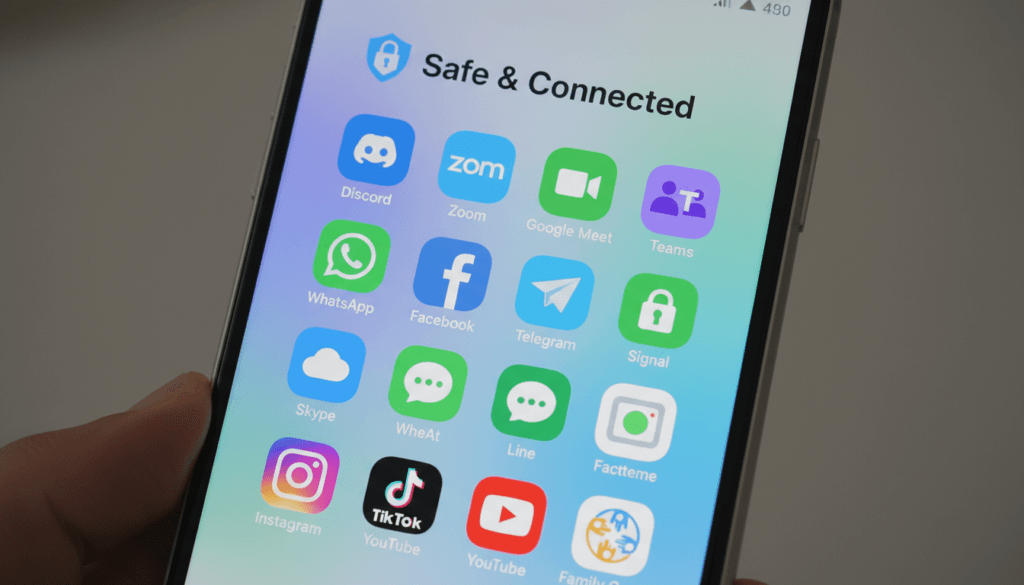
Discord: While primarily designed for gaming communities, Discord offers video chat within servers and direct messages. The difference is that you control who you connect with rather than being matched with strangers. You can join interest-based servers and get to know people through text before deciding to video chat.
Houseparty: This platform focuses on video chatting with people you already know. It lacks the stranger-matching element entirely, eliminating associated risks. The app creates a more party-like atmosphere with games and group interactions among friends.
Marco Polo: This video messaging app lets you send video messages to friends and family who watch and respond when convenient. It combines video interaction with the asynchronous nature of text messaging, removing pressure for immediate responses.
Interest-Based Social Platforms
Connecting through shared interests often leads to more meaningful relationships than random matching:
Reddit: Communities (subreddits) exist for virtually every interest imaginable. While primarily text-based, Reddit allows users to connect with like-minded people and potentially move to video chat after establishing rapport through shared interests.
Amino: This platform offers communities organized around specific interests, from anime to fitness to specific fandoms. Users can chat, share content, and participate in community activities with people who share their passions.
Meetup: For those comfortable with in-person interaction, Meetup organizes local events based on interests. This facilitates real-world connections with people in your area who share hobbies, completely bypassing online stranger danger.
Traditional Social Media with Safety Features
Mainstream platforms offer robust features with better-established safety measures:
Instagram: While not focused on meeting new people, Instagram allows users to connect through interests via hashtags and discover pages. Direct messaging includes filters for message requests from strangers, giving users control over who contacts them.
TikTok: The platform’s content discovery algorithm helps users find creators with shared interests. While comments and duets allow interaction, TikTok provides more controlled engagement than direct video chat with strangers.
Snapchat: This app offers video chat functionality but requires adding friends before video calling. The friend requirement removes the random stranger element while maintaining the visual, playful communication style Monkey offers.
Moderated Community Platforms
Some platforms emphasize active moderation and community building:
Yubo: Similar to Monkey in concept, Yubo focuses on making friends through live streaming and chat. However, it implements more visible moderation efforts and age-appropriate content filters. The platform still carries risks but invests more heavily in safety infrastructure.
Wizz: Another teen-focused friendship app that uses swiping to connect users with similar interests. Unlike Monkey’s video emphasis, Wizz starts with text chat, allowing users to establish comfort before progressing to video calls.
For Parents: Monitored Alternatives
Parents seeking controlled social experiences for younger children might consider:
Messenger Kids: Facebook’s version designed specifically for children under 13, with parent-controlled friend lists and comprehensive monitoring tools. Parents approve all contacts, eliminating stranger interaction.
Kinzoo: A private messaging app for families and close friends where parents control the contact list completely. It includes fun features kids enjoy while maintaining tight parental oversight.
The Case for Offline Alternatives
Sometimes the best alternative to risky online platforms is stepping away from screens entirely:
- School activities and clubs – organize around shared interests with built-in supervision
- Community sports or arts programs – provide structured social opportunities
- Volunteer organizations – connect teens with peers through meaningful work
- Local youth groups – offer social environments with adult oversight
- Part-time work – provides social interaction plus valuable experience
These offline options may seem less immediately convenient than opening an app, but they often lead to deeper, more meaningful relationships with less risk than online stranger interactions.
The goal isn’t to avoid all online interaction, but to balance digital connection with in-person relationships and choose platforms that align with individual risk tolerance and maturity levels.
A Guide for Parents and Educators
Adults responsible for young people need practical strategies for navigating the complex landscape of teen social apps. Understanding the appeal of platforms like Monkey helps inform more effective guidance.
Understanding Teen Motivation
Before prohibiting or allowing app use, understand why teens seek these platforms:
Social Connection: Teens crave peer interaction, especially during developmental stages focused on identity formation and social belonging. Apps like Monkey address genuine social needs, even if imperfectly.
Exploration and Identity: Adolescence involves experimenting with different social roles and personas. Stranger chat allows this exploration with lower social stakes than interactions within their known social circles.
Escape and Entertainment: Teens use apps to relieve boredom, procrastinate, or escape stress. Understanding this helps address underlying issues rather than simply removing access.
Peer Pressure: If friends use an app, teens feel pressure to participate or risk social exclusion. Simply banning the app without addressing social dynamics may create conflict.
Conversation Strategies
Effective communication about app safety requires more than lectures:
Ask Questions: Rather than immediately condemning apps, ask teens what appeals to them about platforms like Monkey. Understanding their perspective creates dialogue rather than confrontation.
Share Concerns Specifically: Instead of vague warnings, explain specific risks: “I’m concerned because the app doesn’t verify ages, so adults can pretend to be teens” is more effective than “This app is dangerous.”
Acknowledge Benefits: Recognize legitimate reasons teens use these apps. “I understand you feel lonely sometimes and want to meet new people” validates feelings before discussing safer alternatives.
Collaborative Problem-Solving: Work together to address underlying needs through safer means. This approach respects teen autonomy while providing guidance.
Avoid Absolute Bans Without Explanation: Simply prohibiting app use without discussion often drives use underground. Teens become more secretive rather than safer.
Setting Clear Boundaries
If allowing app use with conditions, establish specific, enforceable rules:
Technology Rules:
- Use apps only in common family areas
- No app use after specific evening hours
- Parent maintains right to occasional check-ins
- Device charging happens outside bedroom at night
- Screen time limits agreed upon collaboratively
Safety Rules:
- Never share personal identifying information
- Immediately disconnect from uncomfortable situations
- Report concerning behavior to parents without fear of consequences
- No meeting online contacts in person
- No moving conversations to other platforms
Rules work best when teens understand the reasoning behind them and participate in creating them. This builds buy-in rather than resentment.
Parental Control Tools
Technology can support (but not replace) active parenting:
Screen Time Management: Both iOS and Android offer built-in screen time features showing app usage and allowing time limits. These tools create awareness without requiring constant monitoring.
App Blockers: Tools like Qustodio, Bark, or Net Nanny allow parents to block specific apps or categories. However, determined teens often find workarounds, so these work best as part of broader strategies.
Location Sharing: Family location-sharing features (Find My iPhone, Google Family Link) provide peace of mind without invasive monitoring of all device activity.
Network-Level Filtering: Router-based parental controls filter content on all devices using home WiFi. This creates protection without installing software on every device.
No technical solution replaces open communication and trust-building. Tools work best when teens understand they exist for safety, not punishment or surveillance.
Warning Signs to Monitor
Certain behavioral changes may indicate problematic app use or concerning online interactions:
- Sudden secrecy about phone use or quickly hiding screens
- Significant increase in screen time, especially late at night
- Withdrawal from family activities or in-person friendships
- Mood changes correlated with phone use
- Defensive or angry reactions to questions about online activity
- New, expensive items suggesting inappropriate online relationships
- Changes in sleep patterns due to late-night phone use
These signs don’t automatically indicate serious problems but warrant gentle investigation through conversation rather than aggressive confrontation.
Building Digital Literacy
Long-term safety comes from teaching skills, not just enforcing rules:
Critical Thinking: Help teens question whether online interactions are what they seem. Discuss how people can misrepresent themselves and what motivations might drive concerning behavior.
Privacy Awareness: Teach teens how personal information can be pieced together from multiple sources and why protecting privacy matters.
Emotional Intelligence: Discuss how online interaction differs from in-person communication and how to recognize when something feels wrong.
Consent and Boundaries: Empower teens to establish and maintain personal boundaries, both online and offline.
Source Evaluation: Practice identifying trustworthy information versus manipulation or scams across contexts beyond just apps.
These skills transfer across platforms and situations, providing protection even as technology evolves faster than parental knowledge.
For Educators and Youth Workers
Adults working with groups of young people face unique challenges:
Age-Appropriate Education: Address digital safety in ways that resonate with specific age groups. Teens respond better to real scenarios and peer stories than abstract warnings.
Creating Safe Reporting Channels: Ensure young people know they can report concerning online experiences to trusted adults without judgment or disproportionate consequences.
Peer Education Programs: Teen-led digital citizenship programs often prove more effective than adult-delivered lectures. Peer influence is powerful.
Staying Current: Dedicate time to understanding emerging platforms and trends. Adults can’t guide effectively regarding technologies they don’t understand.
Balancing Safety and Privacy: Institutional settings must respect privacy while protecting vulnerable young people. Clear policies help navigate this balance.
When Professional Help Is Needed
Certain situations require intervention beyond parental guidance:
- Evidence of contact with adults seeking inappropriate relationships
- Signs of online exploitation or blackmail
- Compulsive app use interfering with daily functioning
- Severe emotional distress related to online interactions
- Cyberbullying as victim or perpetrator
Don’t hesitate to consult school counselors, therapists, or law enforcement when situations exceed normal parenting challenges. Professional resources exist specifically to address these issues.
The Future of Stranger Chat Apps
Understanding where platforms like Monkey fit in the evolving social media landscape helps contextualize both their appeal and their challenges.
Regulatory Pressure and Changes
Governments worldwide increasingly scrutinize social platforms, particularly those used by minors. Monkey and similar apps face mounting pressure to improve safety measures.
Recent legislative trends include:
Age Verification Requirements: Several jurisdictions consider laws requiring robust age verification beyond simple self-reporting. Technologies like AI-powered age estimation or ID verification may become mandatory.
Parental Consent Laws: Expanding regulations like COPPA in the US or GDPR in Europe may require verifiable parental consent for users under specific ages, complicating registration processes.
Platform Liability: Laws increasingly hold platforms accountable for harmful content rather than providing blanket liability protection. This forces companies to invest more heavily in moderation.
Transparency Requirements: Regulations may mandate clearer disclosure of data collection practices, content moderation policies, and safety incident reporting.
These regulatory changes could fundamentally alter how stranger chat apps operate or potentially force some platforms to shut down if compliance costs exceed viability.
Technological Advances in Safety
New technologies offer potential solutions to current safety challenges:
AI Content Moderation: Machine learning systems increasingly detect inappropriate content in real-time. Future iterations may monitor video chats proactively rather than relying solely on user reports.
Behavioral Analysis: AI can identify patterns suggesting predatory behavior, flagging concerning accounts for human moderator review or automatic suspension.
Age Estimation: Facial recognition technology can estimate ages with increasing accuracy, potentially detecting when adults misrepresent themselves as minors.
Blockchain Verification: Decentralized identity verification systems might enable age confirmation without centralizing sensitive personal data, addressing both safety and privacy concerns.

However, technological solutions face limitations. Determined bad actors find workarounds, and some safety measures create privacy concerns of their own. Balance remains challenging.
Shifting User Expectations
Younger generations increasingly expect certain features from social platforms:
Privacy by Default: Gen Z users demonstrate more privacy consciousness than previous generations, demanding better data protection and clearer controls.
Authentic Interaction: Backlash against heavily curated social media drives interest in platforms emphasizing genuine connection over perfect presentation.
Mental Health Awareness: Growing understanding of social media’s mental health impacts creates demand for features promoting healthy usage and well-being.
Ethical Business Models: Users increasingly question platforms that monetize attention through addictive design, potentially favoring subscription models over advertising-driven approaches.
Platforms that adapt to these expectations will thrive while those clinging to exploitative models may face declining relevance.
Market Competition and Consolidation
The stranger chat space remains fragmented with many small players and periodic entries from major tech companies. Future developments may include:
Feature Integration: Major platforms like Instagram or Snapchat might incorporate random video chat features, potentially obsoleting standalone apps.
Acquisition and Consolidation: Larger companies may acquire successful smaller platforms, bringing resources for improved safety infrastructure but potentially changing platform character.
Niche Specialization: Rather than competing directly with giants, smaller apps may focus on specific communities or use cases, offering tailored experiences.
Regional Variations: Different regulatory environments and cultural attitudes may fragment the global market, with distinct apps dominating specific regions.
The Enduring Appeal of Spontaneous Connection
Despite challenges, the core appeal of platforms like Monkey likely persists:
Humans possess fundamental needs for social connection and novelty. The internet uniquely enables meeting diverse people regardless of geographic constraints. As long as these needs exist, platforms facilitating spontaneous connection will find audiences.
The specific apps may change, regulatory requirements may evolve, and technology may improve safety measures. But the underlying desire driving users to stranger chat platforms remains constant.
The question isn’t whether such platforms will exist, but rather how to make them as safe as possible while preserving the spontaneity and accessibility that make them appealing.
Final Verdict: Is Monkey App Worth Using?
After examining Monkey App from multiple angles, the answer to whether it’s worth using depends entirely on individual circumstances, risk tolerance, and maturity levels.
Who Might Consider Monkey
The app could work for:
- Mature older teens and young adults (18+) who understand online safety risks and can recognize warning signs of inappropriate behavior
- Users with strong support systems including parents or friends who can provide guidance and intervention if needed
- People using the buddy system who engage with the app alongside trusted friends rather than alone
- Those with realistic expectations who understand most interactions will be brief and superficial rather than deep connections
- Users in stable emotional states who won’t be significantly affected by rejection or negative interactions
Even for these users, caution remains essential. Monkey should never be the primary or sole source of social connection.
Who Should Avoid Monkey
The app is inappropriate for:
- Anyone under 13 regardless of maturity level, as the platform violates COPPA and exposes children to serious risks
- Young teens 13-15 without exceptional maturity and comprehensive parental involvement in usage
- Anyone struggling with mental health issues where rejection or negative interactions could trigger worsening symptoms
- Users with compulsive technology use patterns who may develop unhealthy usage habits
- Anyone uncomfortable with video interaction as the platform centers entirely on visual communication
- People seeking serious dating or relationships as Monkey isn’t designed for this purpose and carries too many risks
The Bottom Line
Monkey App presents a paradox. It addresses real social needs through innovative technology while simultaneously creating significant safety concerns that the platform hasn’t adequately solved.

Apple’s removal from its App Store sends a clear message about the severity of concerns. Major tech platforms don’t take such action lightly. This alone should give potential users significant pause.
For most teens, safer alternatives exist that provide social connection without exposing users to random strangers with inadequate verification or moderation. Platforms where users control who they connect with, like Discord or Snapchat used responsibly among friends, offer better risk-benefit ratios.
For parents, the recommendation is clear: the risks outweigh benefits for most young people. If a mature older teen insists on using Monkey, extensive conversations about safety, clear usage rules, and ongoing monitoring become non-negotiable prerequisites.
For young adults 18 and over making their own decisions, approach Monkey with eyes wide open. Understand the risks, implement safety practices religiously, and honestly assess whether the platform serves genuine needs or merely provides superficial entertainment that could be found through safer means.
A Broader Perspective
Monkey App exists within a larger conversation about technology, youth safety, and social connection in digital age. Rather than focusing solely on this specific app, consider the patterns it represents:
Young people increasingly seek connection through digital means. This isn’t inherently problematic, but it requires active cultivation of digital literacy, critical thinking, and healthy technology habits.
Platforms will continue emerging with novel approaches to social interaction. Rather than playing whack-a-mole with specific apps, fostering skills for evaluating safety across any platform provides more sustainable protection.
Balance remains key. Online interaction can’t replace in-person relationships, but it can supplement them when used thoughtfully. The goal isn’t to avoid all online social connection, but to choose platforms and practices that minimize risk while meeting genuine social needs.
Continue Learning About Online Chat Safety
Understanding Monkey App is just one piece of navigating online interaction safely. Explore our comprehensive resources on chat room culture, online safety, and the psychology of digital communication.
Ultimately, Monkey App demonstrates both the promise and peril of technology connecting strangers. Used with extreme caution by appropriate age groups with proper safeguards, it can provide moments of interesting connection. But for most potential users, especially younger teens, the risks exceed the rewards.
Safer alternatives exist. Choose wisely.
Related Resources
Explore these additional articles to deepen your understanding of online chat culture, safety, and psychology:
Chat Room Addiction
Understand the signs of compulsive online chat use, why it happens, and evidence-based strategies for recognizing and recovering from chat room addiction.
Chat Rooms and Loneliness
Do online chat platforms make us more honest in our communications, or do they actually increase feelings of isolation? Examine the research on chat rooms and loneliness.
Being Ignored Online
Scientific studies reveal that being ignored in online chats triggers stronger negative emotional responses than many people realize. Learn about the psychology of online rejection.
Habbo Hotel Learning Study
Discover what researchers learned about how children and teens educated each other through social interaction in virtual worlds like Habbo Hotel.
Studying Online Conversations
Learn about the scientific methods researchers use to analyze how people communicate in online environments, from chat rooms to video platforms.
Comprehensive Chat Guide
If you’re new to online chat platforms, start here with our complete beginner’s guide covering everything from basic etiquette to advanced safety strategies.
